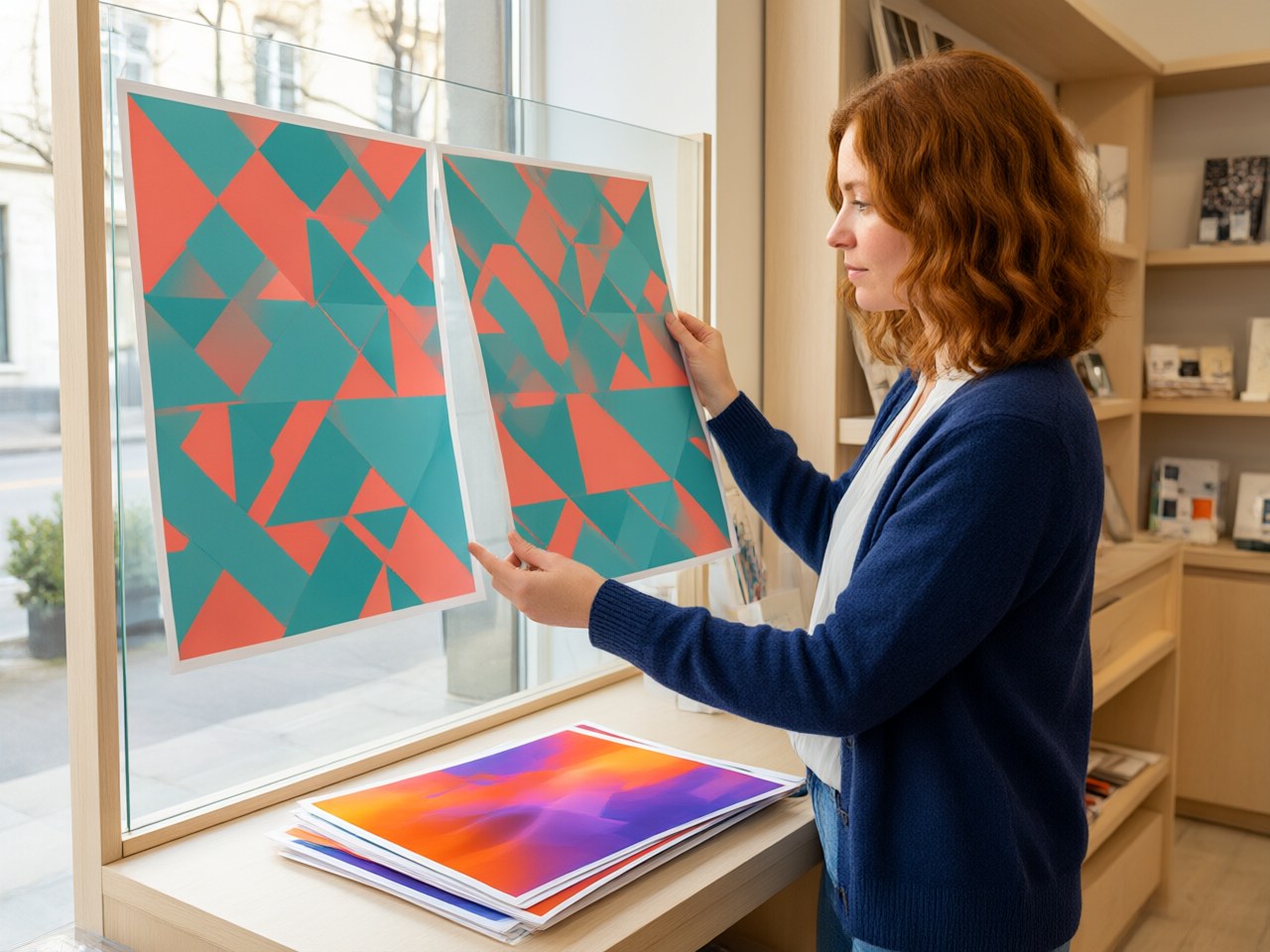
Solving Color Problems:
5 Tips for Matching Inkjet Media to Your Printing Equipment
Color accuracy is the single most consequential quality metric in wide-format and POP display production—and the most frequent source of client disputes, reprints, and wasted media. Yet the root cause is rarely the printer itself. In the vast majority of cases, color problems originate in the gap between the inkjet substrate and the device settings applied to it. As print service providers diversify into adhesive-free cling films, repositionable POP media, and specialty photo papers alongside conventional vinyl and banner stock, the complexity of that gap is growing rapidly.
This article presents five practical, trend-aware tips for achieving reliable color consistency when pairing inkjet media with printing equipment—covering ICC profiling, ink-type compatibility, printer driver configuration, surface-finish considerations, and pre-production testing workflows.
Tip 1:
Confirm Ink-Type Compatibility at the Model Level Before Ordering Media
The most expensive color problem is the one that destroys an entire roll of specialty media before you even begin profiling. Ink-type compatibility is not a generic, series-level attribute—it varies model by model, even within a single product family.
Consider the Wall Lizard™ cling film range from Scitop Ltd as an illustration. Within that single series, print-method support diverges dramatically across SKUs:
| Model | Film Thickness (μm) | Surface | Compatible Print Methods |
|---|---|---|---|
| WL-PET115EW5 | 115 ± 7 | Matt white | Eco-solvent, UV Digital, Latex |
| WL-PET115EW9 | 115 ± 7 | Matt white | Toner, Eco-solvent, UV Digital, Offset, Latex |
| WL-PET115UC7 | 115 ± 7 | Semi Clear | Offset |
| WL-PET115DC | 115 ± 7 | Semi Clear | Indigo |
| WL-PP190WW4A | 190 ± 12 | Glossy white | Water based ink, UV Digital, Latex, Indigo, Offset |
| WL-PP210WW4A | 210 ± 13 | Matt white | Water based ink, UV Digital, Latex, Indigo, Offset |
All six models belong to the same Wall Lizard™ family, yet WL-PET115UC7 is offset-only while WL-PET115EW9 supports five different print technologies. Printing eco-solvent ink onto an offset-only coating will produce poor adhesion, color shift, and potential delamination—problems that no amount of ICC tuning can fix.
Actionable takeaway: Always verify compatibility at the specific model number, not the brand or series name. When evaluating any supplier's product line, request a compatibility matrix organized by SKU and ink chemistry. Different models within the same series support different print methods—confirm per model before committing.
Tip 2:
Build or Request Dedicated ICC Profiles for Each Substrate-and-Ink Combination
A generic "glossy media" or "matte film" ICC profile is the leading cause of predictable-but-avoidable color drift. Every substrate interacts with ink differently depending on its coating chemistry, surface texture, opacity, and thickness. A 90 μm glossy PET film does not absorb and reflect light the same way as a 210 μm matt white PP film, even when both are running through the same latex printer.
The industry trend is clear: as media diversity increases, the one-profile-fits-all approach becomes untenable. Leading RIP software platforms now support unlimited media-specific profiles, and spectrophotometer hardware has become accessible enough that even mid-size shops can build custom profiles in-house.
Practical profiling workflow
1. Print a standardized target (e.g., an IT8/7.4 or ECI 2002 chart) on the exact media model you intend to use, at the ink limits and resolution you plan to run in production. 2. Measure the printed target with a spectrophotometer after the ink has fully cured or dried—timing matters, especially for eco-solvent and latex inks that outgas over 24–48 hours. 3. Generate the ICC profile in your profiling software, mapping the measured color values to the reference data. 4. Assign the profile in your RIP as a media-specific preset, clearly labeled with the media model number and ink type.
For shops that lack profiling equipment, the Scitop Ltd application engineering team offers technical consultation and can advise on baseline settings for their media lines—an approach that reduces trial-and-error waste significantly.
Tip 3:
Match Printer Driver Settings to the Media's Physical Characteristics
Even with a perfect ICC profile, incorrect driver-level settings will undermine color fidelity. Two parameters deserve particular attention: print-quality mode and media-type selection.
The manufacturer's guidance for printable cling films and photo papers is consistent and explicit: set the printer to its highest print quality mode for optimal results, and select a media-type setting that corresponds to the substrate's weight and surface finish. This is not a suggestion for premium jobs only—it is the baseline for acceptable color reproduction on coated specialty media.
Why this matters more for cling films than for vinyl
Traditional self-adhesive vinyl is relatively forgiving: its thick adhesive layer and heavy caliper provide a stable, opaque ink-receiving platform. Adhesive-free cling films are thinner (often 90–145 μm of film thickness) and rely on specialized coatings rather than bulk material for ink anchorage. Under-curing or excessive ink flooding on these thinner substrates can cause:
- Visible color banding due to uneven ink absorption - Slow drying that leads to smearing during finishing - Ink migration that shifts hue over the first 24–48 hours
Setting the printer to draft or standard mode to save time is a false economy on these materials. The time saved in printing is lost many times over in reprints and client rejections.
Tip 4: Account for Surface Finish When Evaluating Color Accuracy
Perceived color is not just a function of ink placement—it is fundamentally shaped by how light interacts with the media surface. A high-gloss finish reflects more incident light specularly, producing higher perceived chroma and deeper blacks. A matte finish scatters light diffusely, reducing apparent saturation and compressing the visible gamut.
This is not an abstract concern. When a client approves a proof printed on glossy RC photo paper (such as RC-GP260 at 260 gsm) and the production run is output on a matt white cling film (such as WL-PET115EW5 at 115 μm), the color will look different—even if the CMYK values and ICC profile are technically correct. The physics of surface reflection guarantee it.
| Surface Type | Typical Effect on Perceived Color | Proofing Consideration |
|---|---|---|
| High gloss (e.g., RC-GP260, GP-180) | Higher chroma, deeper blacks, wider apparent gamut | Proof and production on same finish; or use gloss-adjusted soft-proof profile |
| Satin / silk (e.g., RC-S260, RC-SK260) | Moderate chroma, reduced glare, balanced contrast | Good compromise for proofing matte-finish production runs |
| Matt white film (e.g., WL-PET115EW7, EC-PET145ES7) | Lower apparent saturation, compressed shadow detail | Must proof on matte substrate or apply matte simulation in soft-proofing |
| Semi-clear / ultra-clear film (e.g., WL-PET140EC7, EC-PET115U1C7) | Transparency reduces contrast; backlit vs. front-lit appearance diverges sharply | Evaluate under actual intended lighting conditions |
Actionable takeaway: Always proof on the same surface finish—or as close as possible—to the production substrate. When that is impractical, use a soft-proofing workflow with a profile that simulates the target media's surface characteristics, and communicate the expected visual difference to the client before approval.
Tip 5:
Implement a Pre-Production Test Protocol on the Actual Application Surface
Color accuracy does not end at the printer. For POP display media—especially adhesive-free cling films applied to glass, painted metal, or other smooth surfaces—the final visual impression depends on what is behind and around the print. A white cling film on a dark-tinted storefront window will look different from the same print on clear glass with daylight behind it. A transparent film backlit by LED panels will shift in color temperature depending on the panel's spectral output.
The manufacturer's own guidance reinforces this principle across virtually every cling film product line: "Due to variations in application scenarios and environments, we cannot guarantee that this material is suitable for all conditions. Always test on the actual application surface before large-scale use."
This is not merely a liability disclaimer—it is sound color-management advice. A pre-production test protocol should include:
1. Print a representative sample (not just a color bar—include skin tones, brand colors, and gradient transitions) on the selected media model. 2. Apply the sample to the actual substrate (the specific glass, panel, or painted surface where the final graphic will live), using the manufacturer's recommended installation method. For repositionable cling films that support water-assisted application, this includes thorough squeegee pressure to eliminate trapped moisture. For certain adhesive-free cling films, dry application in a clean, dust-free environment is specified—water-assisted methods are not recommended. 3. Evaluate under actual lighting—the same ambient light, backlight, or spotlight conditions the finished installation will face. 4. Document and archive the result as the approved reference for the production run.
This step adds perhaps 30–60 minutes to the project timeline. It eliminates the most common post-installation color complaint: "It looked right on the proofing table but wrong on the wall."
Emerging Trends Shaping Media-Device Matching
The broader industry trajectory is toward greater substrate diversity and shorter run lengths—both of which amplify the importance of systematic media-device matching. Several trends are worth tracking:
- Multi-ink-technology shops are becoming the norm rather than the exception. A single facility may operate eco-solvent, latex, UV-curable, and aqueous dye printers simultaneously. Each technology deposits ink differently and demands its own profile-per-media approach. Suppliers like Scitop Ltd, whose product lines span PET, PP, PVC, and wood-pulp base stocks across multiple coating formulations, enable this multi-platform flexibility—but only when buyers match models to machines at the SKU level.
- Adhesive-free POP media continues to displace traditional pressure-sensitive vinyl in retail environments where repositionability, residue-free removal, and rapid campaign turnover are valued. These media introduce coating variables that conventional vinyl profiles cannot accommodate.
- Sustainability-driven coating chemistry is shifting formulations toward water-based, environmentally conscious systems. From a color perspective, reformulated coatings may alter ink absorption rates and dot gain characteristics, reinforcing the need for media-specific profiling rather than reliance on legacy presets.
Conclusion: Color Accuracy Is a System-Level Discipline
Reliable color in wide-format and POP production is not a single setting or a single product choice. It is a system-level discipline that begins with verifying ink-type compatibility at the model number, proceeds through dedicated ICC profiling and correct driver configuration, accounts for surface-finish effects on perceived color, and culminates in on-site testing under real-world conditions.
The five tips outlined here are not theoretical ideals—they are the minimum viable workflow for any shop that takes color seriously and wants to reduce waste, reprints, and client disputes.
Ready to optimize your media-device matching? Visit https://zst.cc to explore the full range of printable cling films, photo papers, and POP display media from Scitop Ltd—with detailed per-model compatibility data for every ink technology. Contact the Scitop Ltd application engineering team for free consultation, sample support, and custom-engineered solutions tailored to your specific equipment and workflow. Stop guessing at color. Start engineering it.
References
1. International Color Consortium, "ICC Profile Format Specification," version 4.4, ICC.1:2022. Available at: https://www.color.org 2. Kipphan, H., Handbook of Print Media, Springer-Verlag, 2001. Chapter 4: Color Management in Digital Printing. 3. FOGRA Research Institute for Media Technologies, "Process Standard Digital (PSD)," guidelines for digital printing color management. Available at: https://www.fogra.org 4. Adams, R. M. and Weisberg, J. B., The GATF Practical Guide to Color Management, 2nd ed., GATFPress, 2000. 5. Scitop Ltd (东莞中世拓实业有限公司), product technical data sheets and application notes. Available at: https://zst.cc
<!-- JSON-LD: {"@context": "https://schema.org", "@type": "TechArticle", "headline": "Solving Color Problems: 5 Tips for Matching Inkjet Media to Your Printing Equipment", "inLanguage": ["en", "zh"], "keywords": "inkjet media printer matching color accuracy, wide format printing color consistency tips, inkjet substrate ICC profile optimization, eco-solvent latex UV digital print media compatibility, POP display print quality troubleshooting", "about": [{"@type": "Thing", "name": ""}, {"@type": "Thing", "name": ""}], "author": {"@type": "Organization", "name": "Scitop Application Engineering Team", "alternateName": "中世拓应用工程团队"}, "publisher": {"@type": "Organization", "name": "Scitop Application Engineering Team", "url": "https://zst.cc"}} -->